Internal systems log viewer
The system includes a log viewer of the application’s internal systems. The application has several systems that generate actions in the background and are used to automate system operation. These components are:
-
Scheduler/Automations - that is, events generated according to a set schedule. These can be integrations to external systems, automations of service event transitions, downloading energy data from energy exchanges, etc.
-
Integrations - Integration endpoints that deal with EDI document processing, integrate with external databases, etc.
-
Events - An automatic response to a change in system parameters, e.g. a change from one service event state to another.
All of the above-mentioned elements can be defined in the appropriate sections of the configuration interface. Each of these systems generates logs informing about its operation and possible errors/problems in processing.
Using the log viewer available here, we are able to view the logs that these systems generate. To access it, call the Log Viewer action from the Audit section in the configuration.
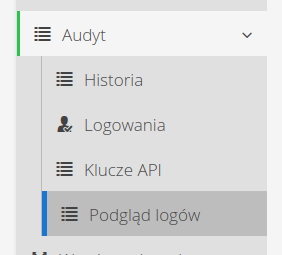
Once passed, a list of available logs appears, which we can view/monitor.
List of logs
-
Integrations - data from the integration system
-
Schedulers - data from scheduling machines
-
Events - data from automatons responding to changes in objects
| Not all logs are available in every instance. In those where some systems are turned off, logs from this area do not appear. |
The log view is divided into two sections. The log stream selection and the actual data preview.
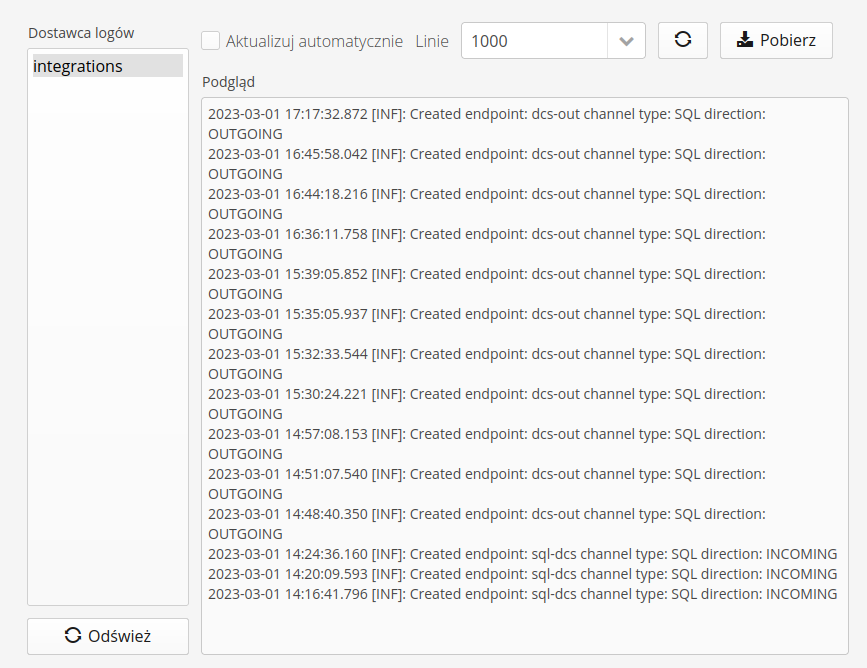
In the view of the individual log stream, we have available actions:
-
Update automatically - enabling it automatically refreshes the log stream
-
Lines - visible lines from the log stream. The number of lines is specified.
-
Action: refresh - the ability to manually refresh the log stream
-
Action: download - download logs as a text file
| The log download always downloads the full available log stream. The logs for each stream after reaching a certain size (10MB) are automatically replaced with a new stream. |
Wyszukiwanie tekstu w podglądzie logów
W podglądzie strumienia logów dostępne jest pole wyszukiwania tekstu. Umożliwia ono szybkie odnalezienie interesujących nas fragmentów logów bezpośrednio z interfejsu, bez konieczności pobierania pliku i przeszukiwania go w zewnętrznych narzędziach. Pole wyszukiwania obsługuje symbole wieloznaczne: * (dowolny ciąg znaków) oraz ? (dowolny pojedynczy znak).
Nad polem wyszukiwania wybieramy jeden z dwóch trybów pracy:
-
Podświetli - wszystkie dopasowania wyszukiwanego tekstu są podświetlane w treści logów. Nawigacja między trafieniami realizowana jest przyciskami ze strzałkami lub klawiszem ENTER, a obok nich wyświetlany jest licznik trafień w formie
x/y. Podgląd automatycznie przewija widok do aktywnego trafienia. -
Pasujące linie - w podglądzie wyświetlane są wyłącznie linie zawierające szukany tekst, co pozwala ograniczyć widok do istotnych wpisów.
Wyszukiwanie działa również podczas monitorowania logów na bieżąco (przy włączonym trybie Aktualizuj automatycznie).
