Access key management interface
An interface for managing keys to access the WebService interface via a generic programming API. Documentation for the API is available in the developer documentation section. This is where we manage and generate the API keys.
The call to action presents a list of available API keys, information about the key value part (key, UUID) and the activity, generation and expiration dates of the key.
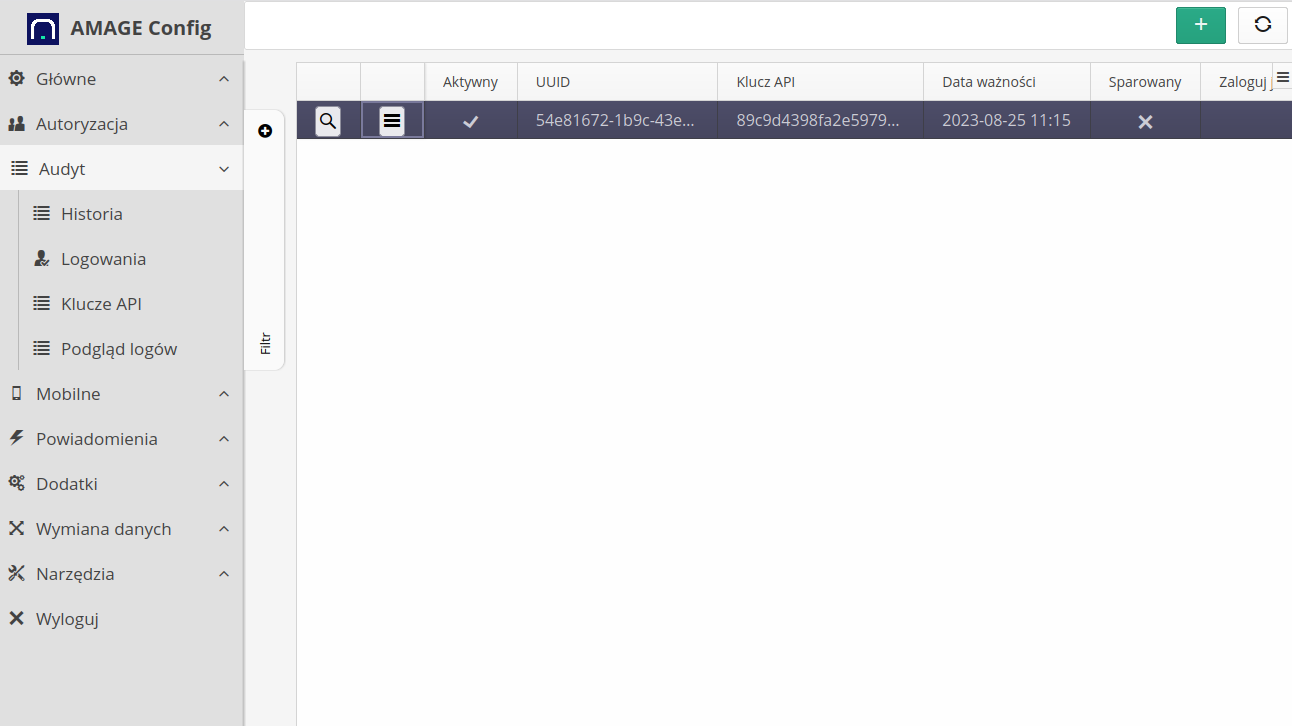
| The key is active if the expiration date exceeds the current system date. In addition, for mobile devices, pay attention to the "paired" flag, which is used in some applications in the pairing procedure, i.e. once the key is paired, it is not possible to reactivate this key on another device |
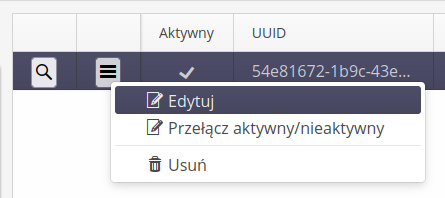
For each API key, contextual actions are available that allow you to edit, delete and quickly activate/deactivate the key.
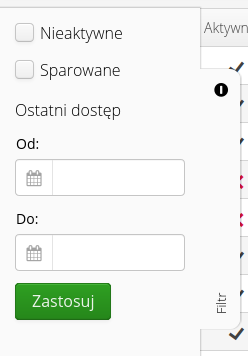
Filtering mechanisms are available in the list to display active or inactive API keys
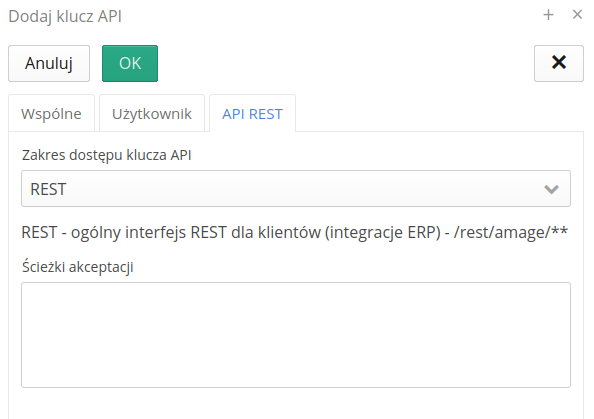
Zakresy dostępu i ścieżki akceptacji
Każdy klucz API może mieć zdefiniowane zakresy (funkcje) dostępu ograniczające, do których interfejsów REST dany klucz może uzyskać dostęp. Dostępne zakresy obejmują:
-
Publiczne REST - interfejsy REST udostępniane do integracji z zewnętrznymi systemami (na przykład systemy ERP)
-
Mobile - interfejsy synchronizacji danych dla urządzeń mobilnych pracujących offline
-
Embedded - interfejsy dla komponentów wbudowanych
-
AI - interfejsy MCP i informacje dla modeli LLM
Oprócz zakresów można dla klucza zdefiniować listę ścieżek akceptacji (wzorców ścieżek REST). Jeśli dla klucza zdefiniowano ścieżki akceptacji, system podczas autoryzacji sprawdza, czy ścieżka zapytania mieści się w jednym z tych wzorców. Pozwala to na tworzenie kluczy o minimalnym zbiorze uprawnień - na przykład klucza tylko do synchronizacji danych mobilnych lub klucza tylko do wybranych interfejsów integracji.
| Klucze API utworzone przed rozszerzeniem o zakresy dostępu zachowują pełną kompatybilność wsteczną - są oznaczone jako klucze starszej generacji i ich zakresy nie mogą być już modyfikowane. W celu ograniczenia dostępu należy utworzyć nowy klucz z zdefiniowanymi zakresami i ścieżkami oraz zastąpić nim klucz starszej generacji. |
Adding a new key
The key can be added through the Web interface. To do this, select the (+) button action. This brings up the Add New Key window.
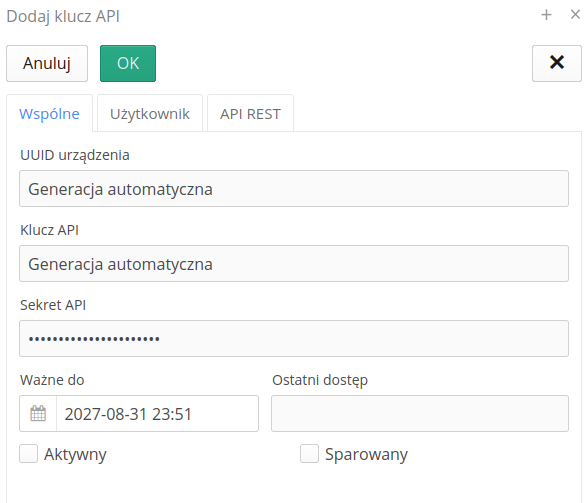
Data of the type UUID of the device, API key and its secret will be generated automatically by the system when saving a new key. The user has the option to enter expiration dates and flags indicating that the key is active and paired.
If you edit an existing key, a window with information about the key is displayed after selecting it in the main list. The API secret is displayed after selecting the 'Show' button. In addition, through the action Transfer we have the ability to change the expiration date of the key which means changing its activity.
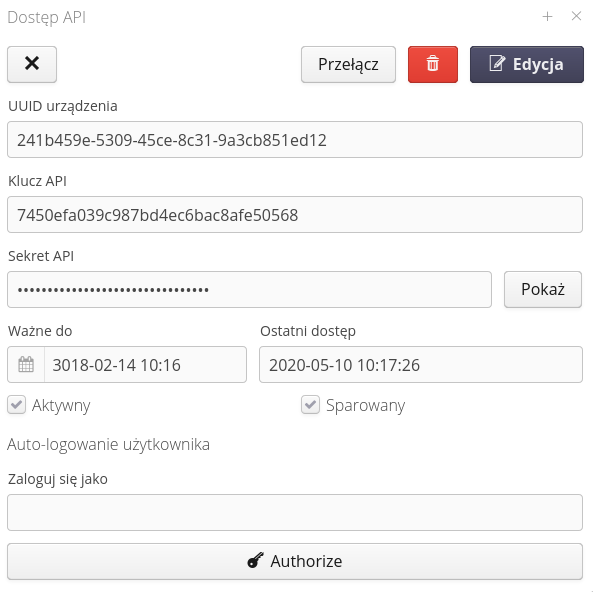
| Documentation of the use of the API key and the generation of signatures for individual WebService queries is defined in the development documentation provided at the start of the system integration/implementation work. |
User auto-logging
The system allows a selected user to automatically log in on a specific browser. This allows parts of the system interface to be available without logging in, e.g. in conference rooms, visualizations, dispatch panels.
| The mechanism is based on information stored in the memory of the web browser. Properly prepared data including information about the API key and secrets are stored in cookies of the browser. |
To enable such logging, define a user in the definition view of the selected API key, who will be automatically logged in if the browser has the appropriate authorization data. The user selection is defined in the API key view.
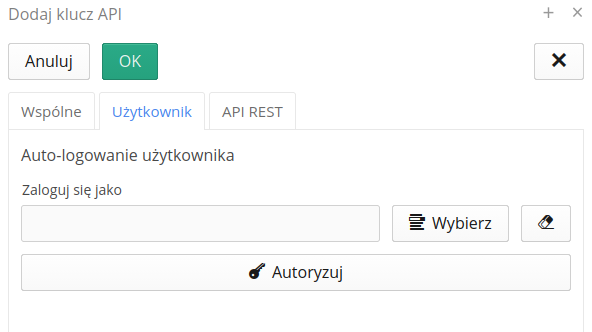
| It is not possible to add/use for authorization a user who has Super-Administrator privileges due to the fact that such a user has all possible privileges and the mechanism of access profiles for such a user is bypassed. |
Po wybraniu i zapisaniu tych informacji można na przeglądarce, która będzie docelową przeglądarką internetową do automatycznego logowania, wybrać przycisk Authorize. System automatycznie przejdzie do widoku parowania klucza. Jeśli użytkownik posiada dostęp (jest zalogowany) to system ułatwia parowanie automatycznie przechodząc do okna parowania. Jeśli wykonujemy to ręcznie, to należy przejść do adresu (w kontekście aplikacji) config#!apiaccess-token-entry.
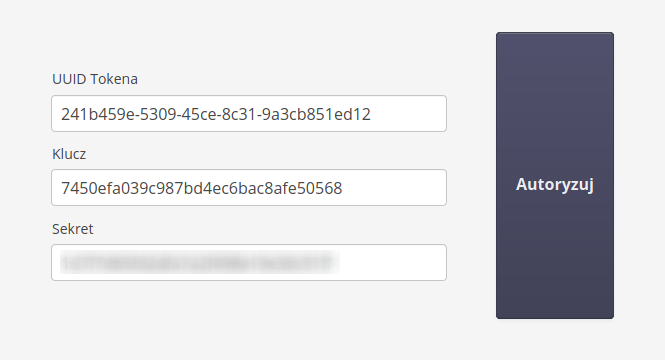
The window allows you to enter the API key identification data and validate it. Once the data is validated, a suitably crafted cookie is saved in the browser’s memory and from then on the application will automatically log in the selected user